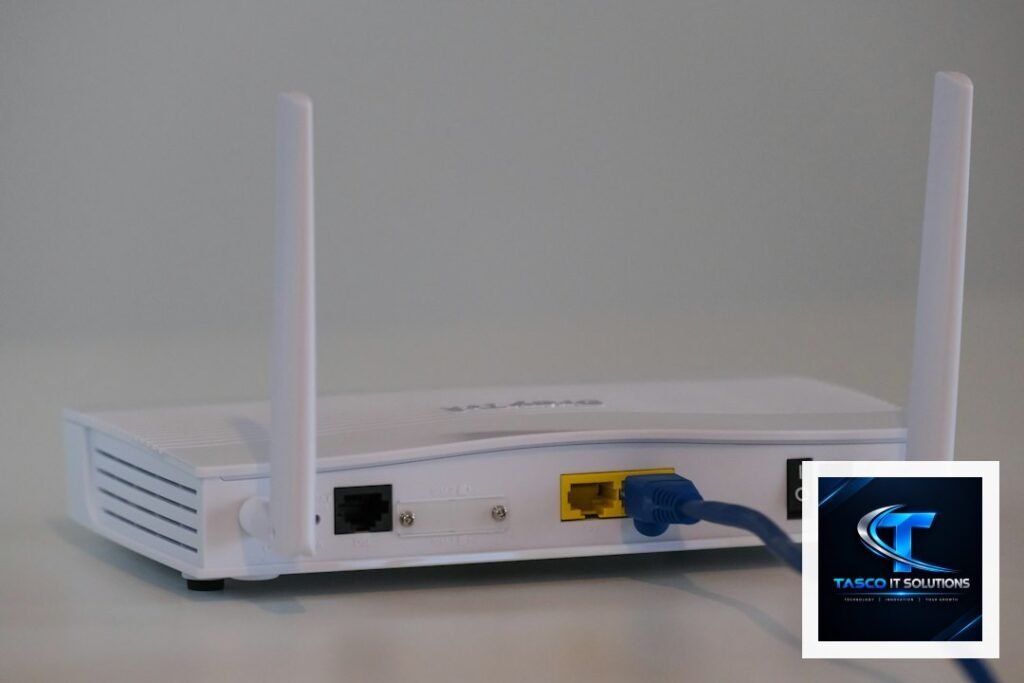
The cloud dashboard you use to manage your office router remotely is convenient. This week it became the way in. In the GL.iNet GoodCloud hack, attackers abused a flaw in GL.iNet’s cloud remote management service to run malicious code on some of the company’s routers and remote KVM devices. GL.iNet confirmed the incident on November 20, 2026 and has released fixed firmware.
GL.iNet travel routers, Wi-Fi 7 routers and the Comet KVM range are popular with small offices, IT teams and remote workers in the USA, the UAE and beyond. If you or your IT provider use them, here is what happened and exactly what to do.
What happened in the GL.iNet GoodCloud hack
On November 20, 2026, GL.iNet published a security notice saying it had found a vulnerability in GoodCloud, its cloud remote management service. An unauthorised party used it to install malicious software on some routers and KVM devices. GL.iNet says it has fixed the cloud flaw and blocked the access path, but that fixing the cloud does not remove malware already on a device.
According to reporting by The Hacker News, independent researchers traced the problem to the GoodCloud client on the devices, which ran values sent from the cloud as root through a shell without checking them. They say that code has been present in firmware since at least December 2024. GL.iNet has not confirmed that technical detail, and no CVE number had been assigned at the time of writing.
Timeline
- Thursday, November 19: an owner of a GL-RM1 KVM reported the device downloading a script and two programs, then scanning the local network.
- Friday, November 20: researchers verified a root-level reverse shell on a GL-AXT1800 router with GoodCloud enabled. GL.iNet identified and fixed the cloud flaw the same day and issued its notice.
- November 22: stable security firmware for affected routers and KVMs was scheduled for release.
- November 23: GL.iNet updated its notice to say the new firmware removes the identified malware without a factory reset.
Neither GL.iNet nor the researchers have said how many devices were hit or who was behind the attack.
Which GL.iNet routers and KVM devices are affected?
GL.iNet’s notice lists fixed firmware for these models, and warns that a model missing from the list is not necessarily safe:
- Routers: GL-MG1300, GL-MT3000, GL-MT6000, GL-E5800, GL-BE3600, GL-BE9300, GL-BE14000, GL-BE6500, GL-MT3600BE, GL-MT5000, GL-BE10000, GL-AX1800, GL-AXT1800, GL-SFT1200, GL-X3000, GL-XE3000, GL-MT2500/MT2500A and GL-X2000.
- KVMs: RM1, RM1V2, RM10, RM10RC, RM1PE, RM4PE and RMQ1.
Why this router malware matters for businesses
A compromised router sits between every device in your office and the internet. Malware running as root can watch traffic, steal VPN keys and pivot to other machines. A compromised KVM is arguably worse: it is plugged directly into a server or PC, and GL.iNet is still investigating whether computers attached to infected KVMs were affected.
For US companies, edge devices like routers are a well-known entry point for attackers and are often missing from patch routines. For UAE and Dubai businesses, where many teams rely on remote access between offices in different countries, a single cloud-managed device can expose more than one site. The bigger lesson applies everywhere: every “manage from anywhere” cloud service is a third party with a direct line into your network.
How to check and fix your GL.iNet device
1. Check for the infection marker before you reboot
GL.iNet’s indicator is a running process containing the text crond -i /tmp/.log. Researchers note the malware leaves few traces after a restart, so check first.
- Router web panel (LuCI): go to System, Advanced Settings, then Status and Processes, and search for
tmp/.log. - Router over SSH: run
ps | grep tmp. - KVM: open Toolbox, Terminal, Access, then run
ps -a | grep tmpon the RMQ1 orps -aux | grep tmpon other models.
A result that shows only your own grep command is not a match. Researchers also warn the marker can miss some infected devices.
2. Install the GL.iNet firmware update
Download the latest stable security firmware for your exact model from GL.iNet’s official download site. Fixed versions include 4.11.1 for the GL-MT3000, GL-MT6000 and GL-MG1300, 4.8.4 for the GL-AXT1800 and GL-AX1800 family, 4.7.14 for the GL-MT2500 and GL-X2000, and 1.10.3 for most KVMs (1.8.7 for the RMQ1). GL.iNet advises updating even if your check is clean. Never install firmware meant for a different model.
3. Treat secrets as exposed if you find signs of compromise
GL.iNet says its firmware removes the malware with settings kept. Independent researchers take a stricter line: reinstall without keeping settings and rotate everything stored on the device, including VPN keys, Wi-Fi and admin passwords, cloud credentials and SSH keys. For a business, the cautious approach is the right one.
4. Reduce cloud remote management risk
- Disable GoodCloud until you are patched, after setting up another secure way to reach the device.
- Scan any computer connected to a suspect KVM for unknown programs, browser extensions, user accounts or scheduled tasks.
- Add routers, firewalls and KVMs to your monthly patch checklist.
- Keep an inventory of every vendor cloud that can reach your network, and review who has access.
If you need help, TASCO IT’s cybersecurity team can audit your network edge and remote access, and our cloud and DevOps engineers can design secure remote management with proper logging. We covered a similar third-party risk in our guide to the Optimizely hack and third-party scripts.
Frequently asked questions
Was my GL.iNet router hacked?
Check for a running process containing “crond -i /tmp/.log” using the router’s process list or SSH before rebooting. If you find it, treat the device as infected. Either way, install the latest security firmware for your model.
Do I need to factory reset my GL.iNet router?
GL.iNet says its new firmware removes the identified malware without a factory reset. Researchers recommend a clean reinstall without saved settings and new passwords and keys for any device that showed signs of compromise.
Is it safe to keep using GoodCloud?
GL.iNet says the cloud flaw is fixed. Still, only re-enable cloud management after patching, and only if you need it, because any remote management service adds risk.
Secure your network edge with TASCO IT
Not sure which devices in your offices are exposed? Message TASCO IT on WhatsApp at +971 58 661 3940 or email info@tascoit.com for a quick security review, whether you are in the USA, the UAE or Pakistan.